

If you've done SEO, you're not starting from scratch
A lot of the thinking behind GEO will feel familiar if you've spent any time on search optimization. The vocabulary is different, but the underlying logic is similar:
Prompts are like your long tail keywords
The questions people ask AI tools are essentially search queries. You're still trying to figure out what your customers are searching for and making sure you show up when they do.
Personas still drive your strategy
Just like with SEO, you structure your tracking around the types of people you're trying to reach and the problems they have.
Citations are the new backlinks
The pages that AI models pull from when generating answers carry authority. Being featured on the right listicle, comparison page, or Subreddit is just as important as ever.
Perception is the new variable to watch
In GEO, AI models synthesise information from multiple sources and form their own description of your brand. So, they're not just linking to you, like in SEO results; they will decide how to position you relative to competitors and whether to recommend you. So, how the AI talks about you matters as much as whether it mentions you at all.
With that context, let's get into Temso.
1. Set up your brand profile
Before Temso can track anything, it needs to know who you are. The My Brand section is where you define your brand identity, and it's split into three tabs: Details, Offerings, and Personas.
The good news is you don't have to build this from scratch. As you’ve most likely set this up during onboarding, think of that as a first draft. It's a solid starting point, but you'll want to review and refine it to ensure it accurately reflects how you want to position your brand.
Keep in mind:
Resist the urge to add everything at once. Brands that try to track too many personas and offerings from day one tend to dilute their data and struggle to find clear signals. Start with your core product and your most important buyer profile.
Prove results there, then expand them later.
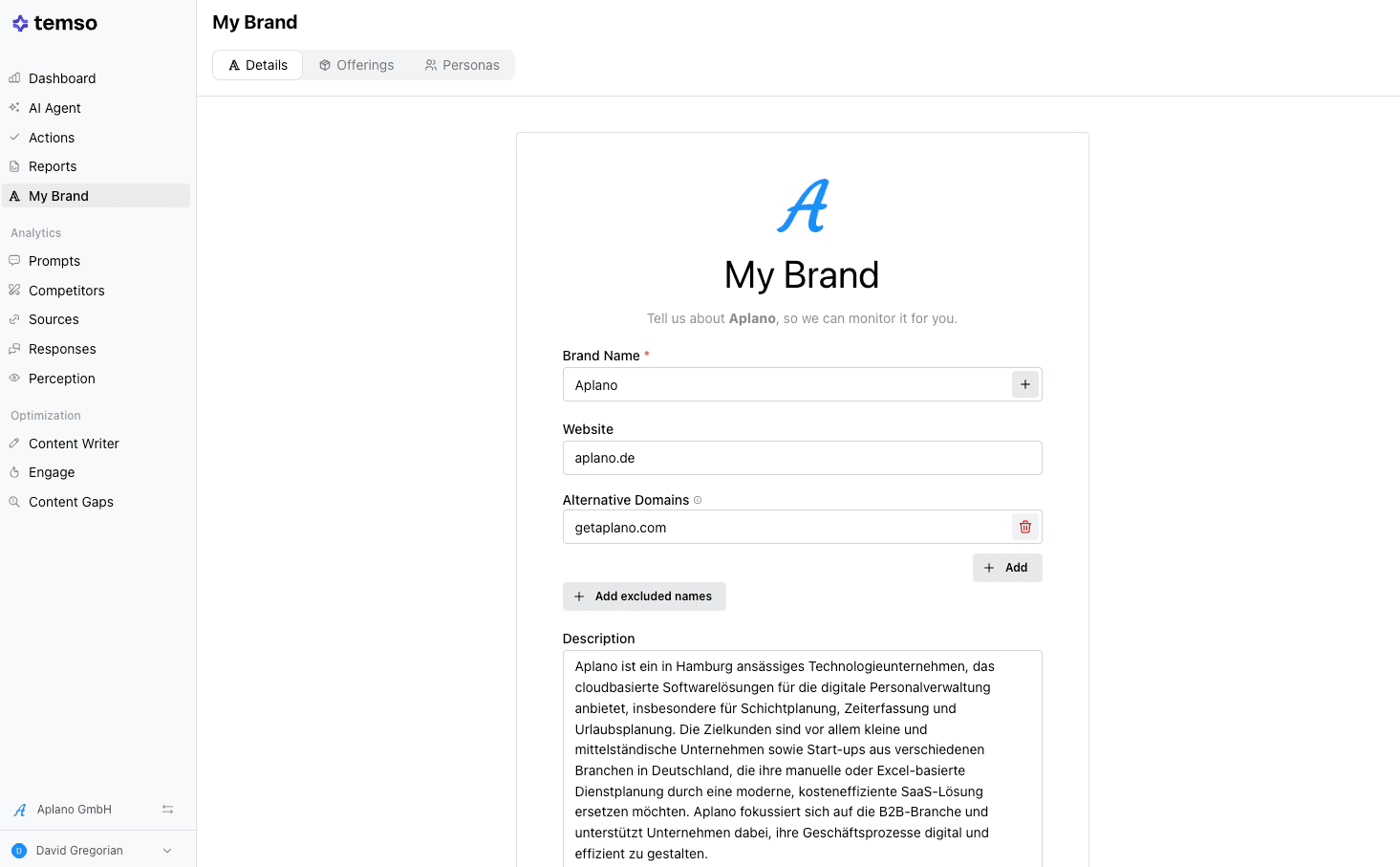
Details
First, enter your brand details and alternative domains (if you have any).
Then, write a clear description of what your company does in plain language because this is how Temso understands your business and matches you to relevant AI-generated responses.
Offerings
Next, define your individual products or services. Temso tracks prompts at the offering level so you know which is winning and which one is being completely ignored by AI.
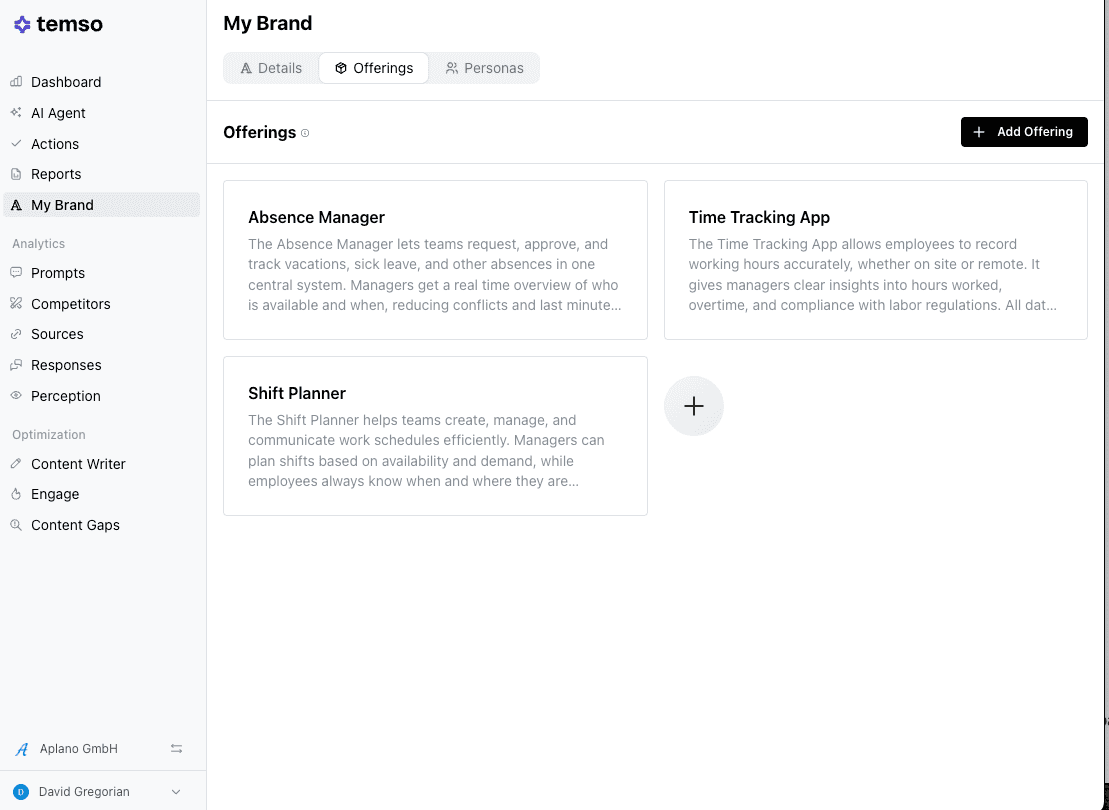
You can edit your products or services at any time.
Personas
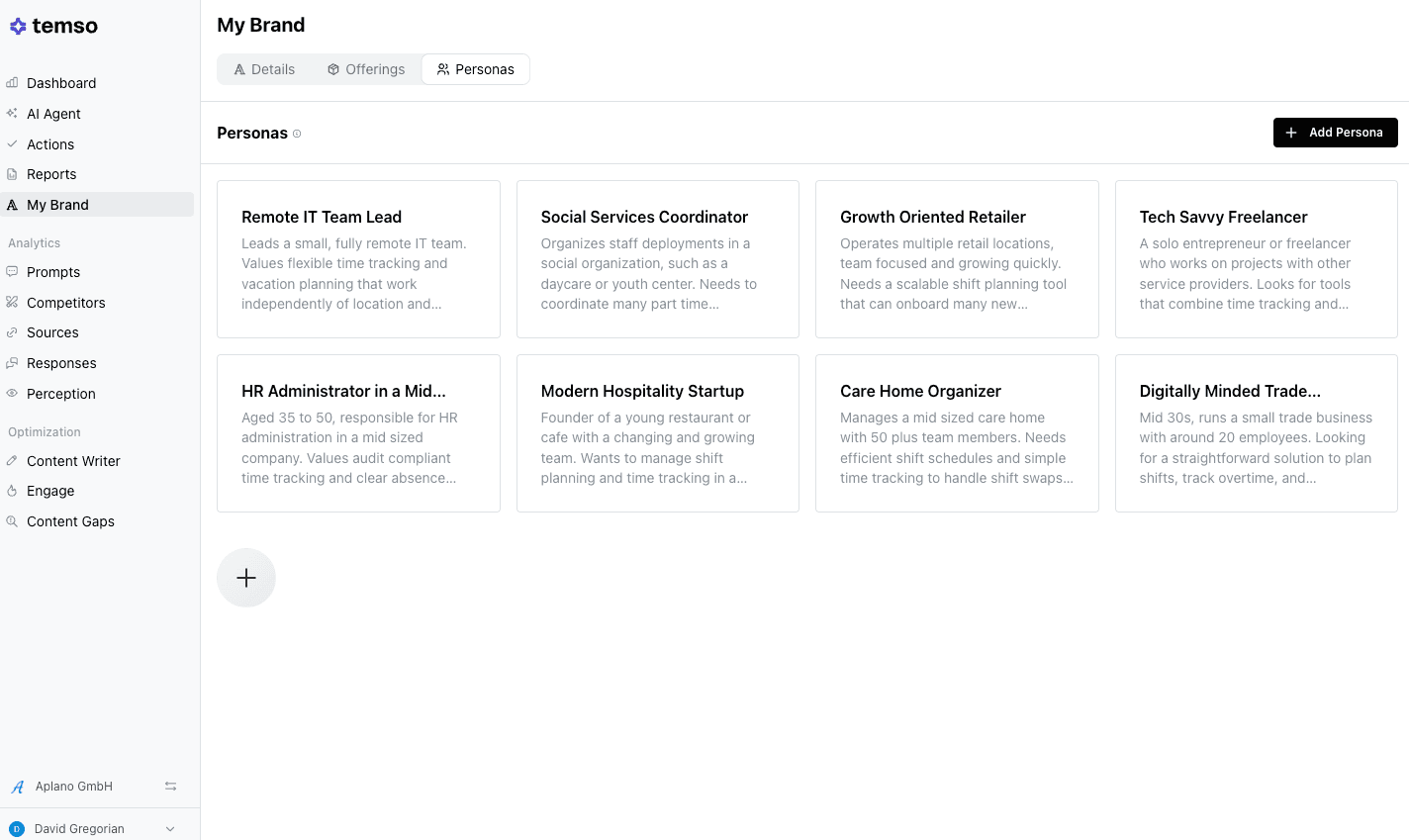
Next, set up your ICP.
These are the types of people searching for solutions like yours, like an HR administrator at a mid-sized company, a hospitality startup founder, or a freelancer looking for simple tools.
Temso uses these personas to tailor its prompt recommendations and analysis to the real people who are actually in-market.
2. Choose and track the right prompts
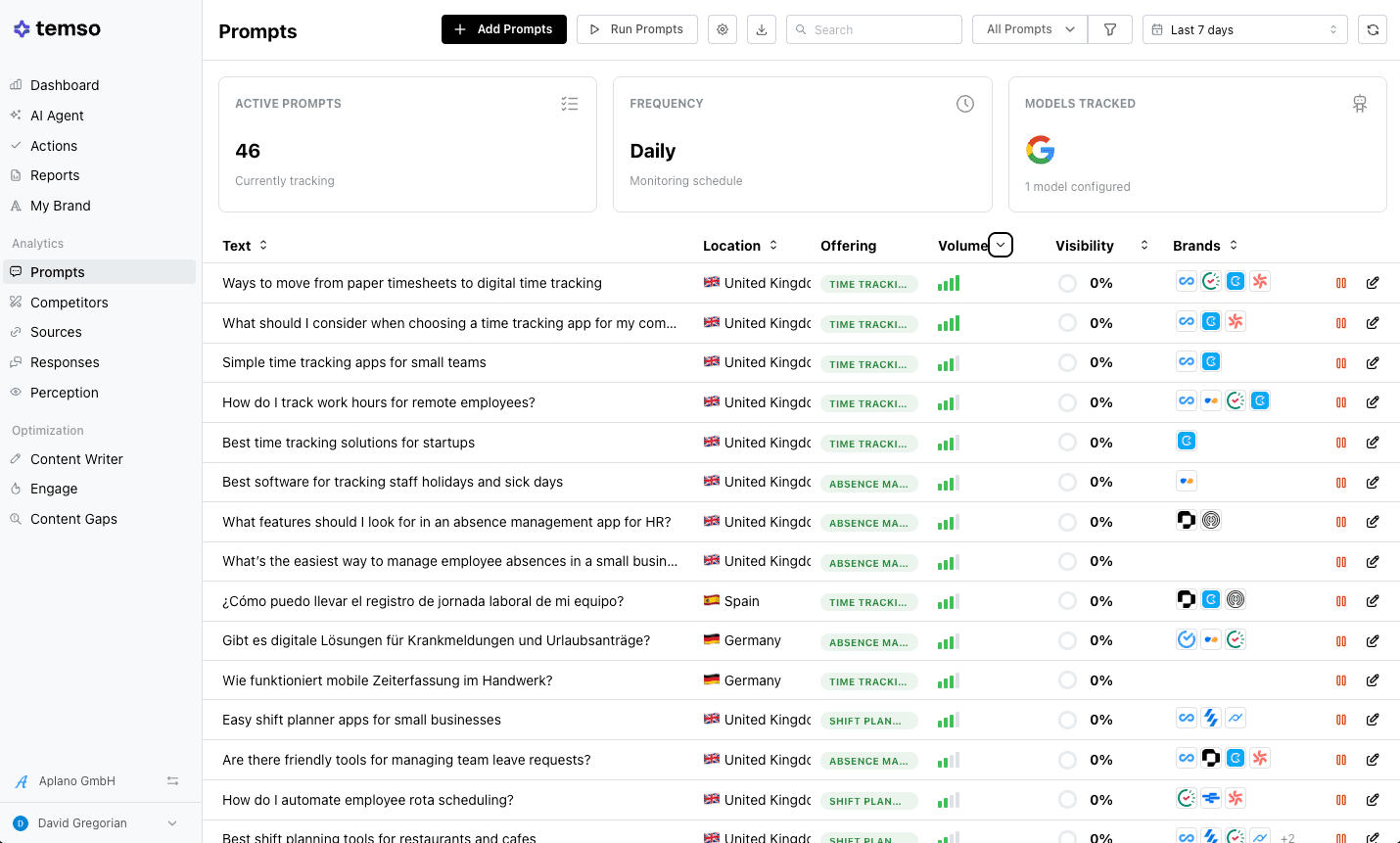
The Prompts section is the engine of your tracking. Prompts are the questions people type into AI search tools.
Temso monitors prompts daily across the AI models you've selected (Google AI Overview, Microsoft Copilot, ChatGPT, and others) and reports your visibility for each.
You can add prompts yourself if you already know the questions your customers are asking, or let the AI Agent recommend prompts based on your brand profile.
You'll also see which brands get recommended alongside you for each prompt.
Having a competitive context is just as valuable as your own visibility score because it tells you who you're competing against in AI search, which might look very different from traditional search.
A note on expectations: 100% visibility on any prompt is unrealistic for most prompts. What matters is your share of voice relative to competitors. So, a visibility score of 35% may look modest in isolation, but if your competitor is at 12%, you’re winning.
3. Understand your analytics
Temso's analytics are split into six views, each answering a different question about your AI search presence.
You don't need to live in these dashboards; the AI Agent and Actions tab is where you’ll spend most of your time, but understanding the data here will give you context for your AI visibility.
Here's what they do and when to use them.
Dashboard
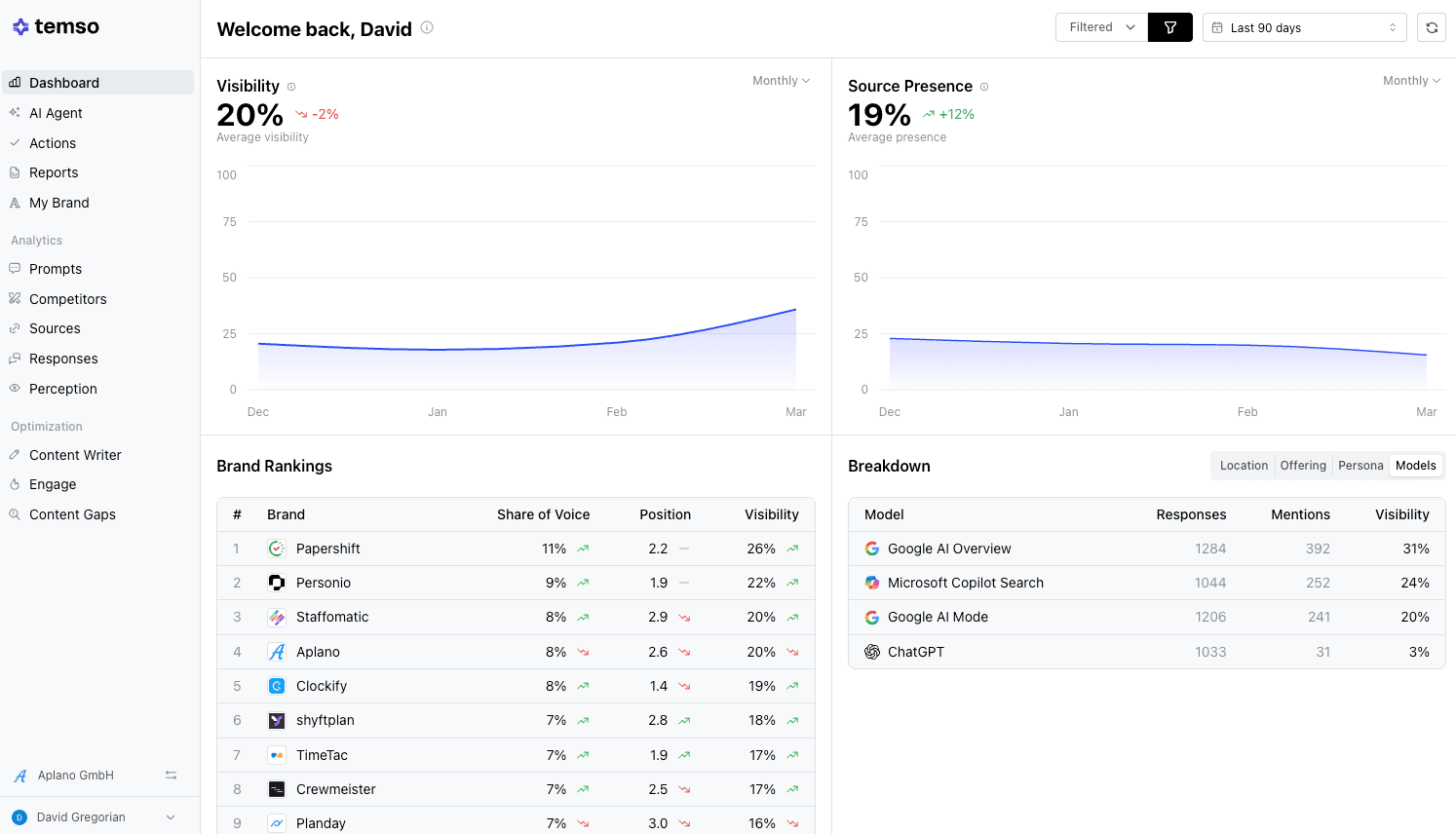
Your at-a-glance scorecard. It shows overall visibility trends, source presence, brand rankings against competitors, and performance by AI model. Check it weekly to see if you’re moving in the right direction. A sharp drop or a competitor's sudden climb is your signal to dig deeper.
Competitors
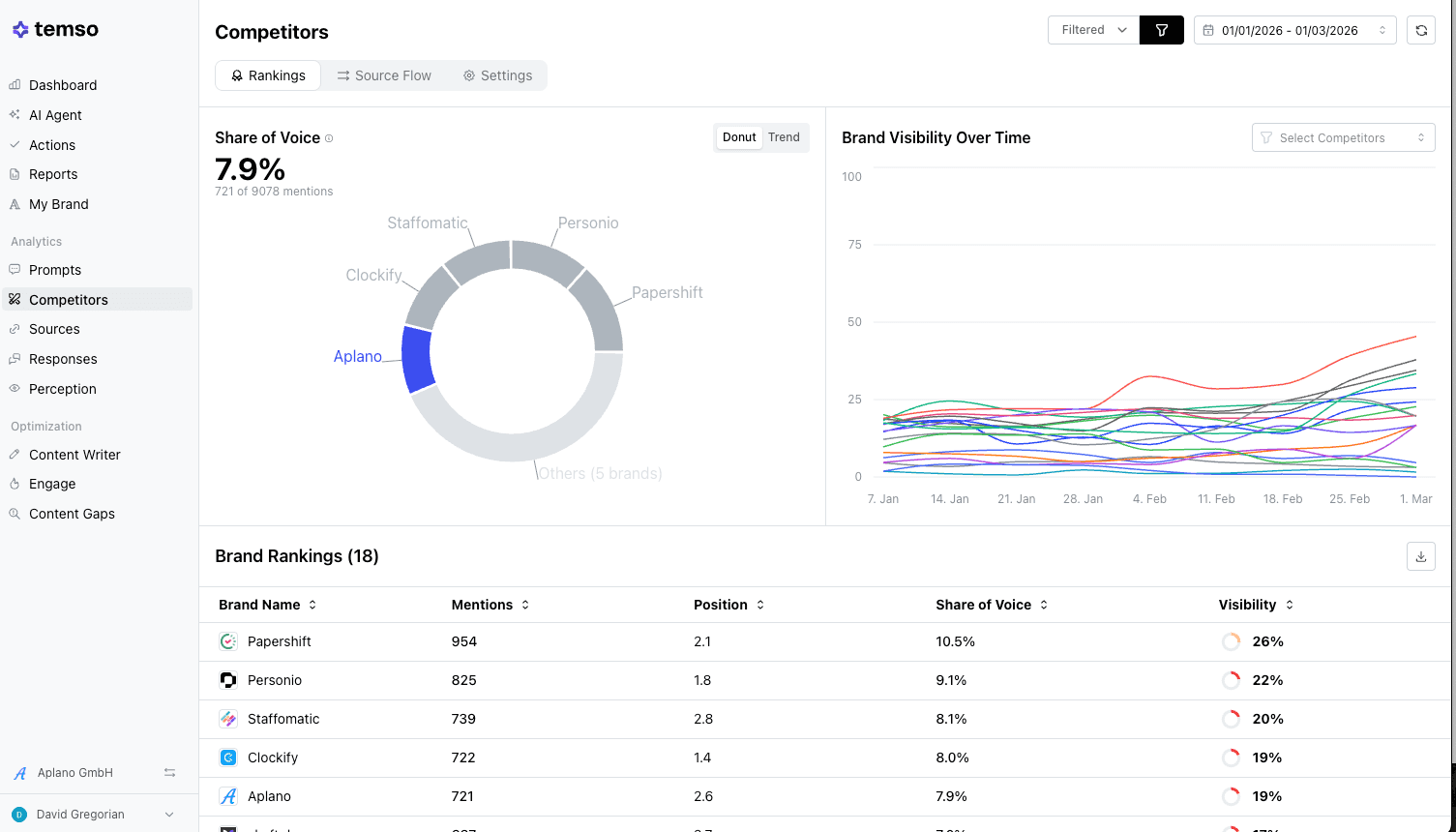
Here you can see who's winning the AI search game in your category, and it may be surprising. Brands that dominate traditional search don't always lead in AI responses.
Share of voice is your metric to watch here.
Unlike traditional search, there's no simple #1 ranking in AI answers because multiple brands can be mentioned in the same response, or not mentioned at all.
Share of voice indicates the percentage of the total conversation your brand owns relative to your competitors.
Sources
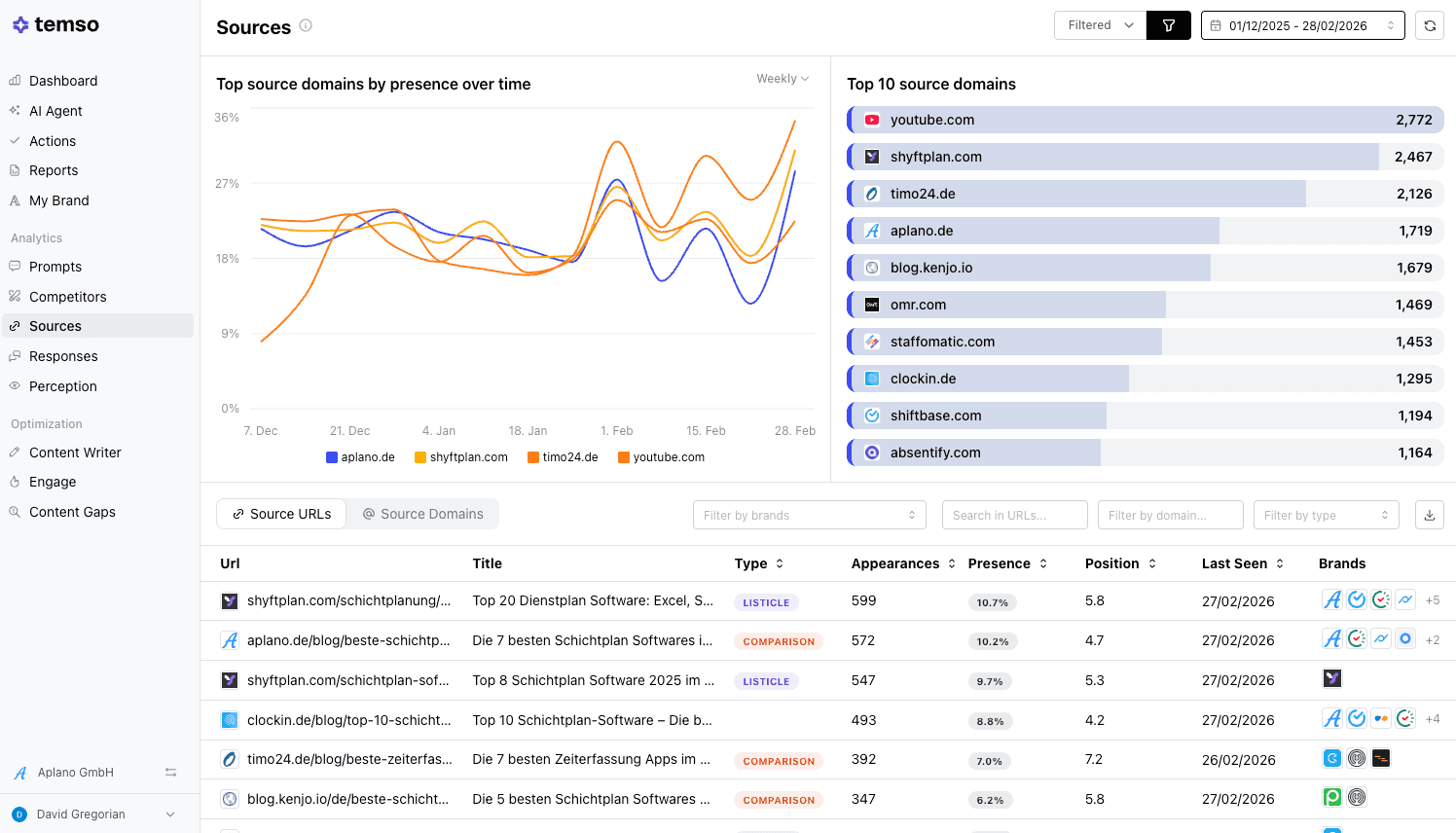
One of the most strategically valuable views in Temso. Sources show you which websites and pages AI models are citing when they generate answers (the URLs the models trust and pull from).
As you can see in the example, a shyftplan.com gets cited 524 times by AI models, so that's a page you’d want featured, and the Aplano account is.
You can also filter by AI model to see if they’re drawing from different sources.
Responses
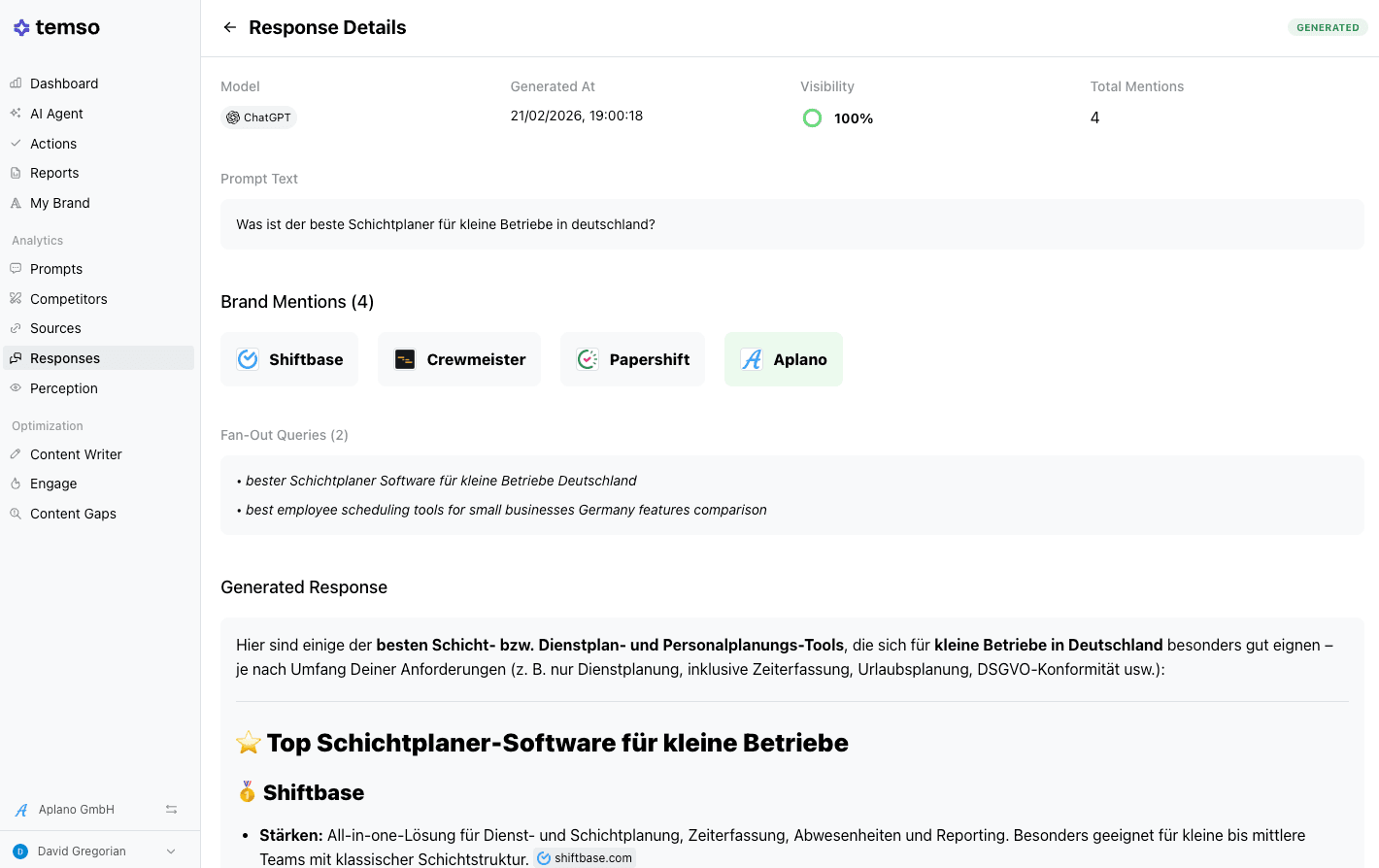
Every AI-generated answer for your tracked prompts is logged and searchable. The list view shows you the prompt, the model, the response preview, visibility, and which brands appeared.
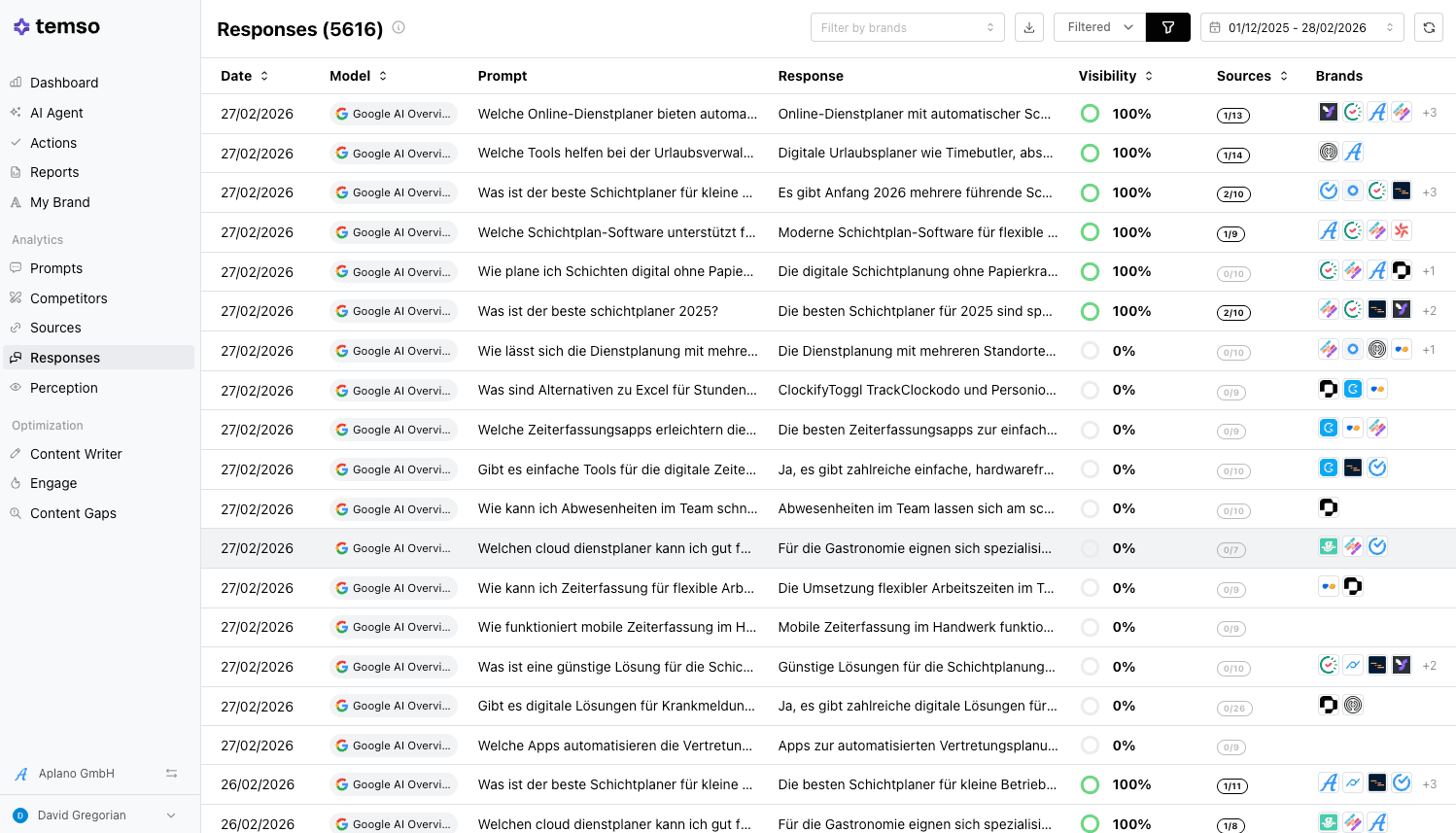
But the real value is in the detail view. Click into any response, and you'll see:
- The full generated answer, which is the exact text the AI produced, including how it described and ranked different brands
- Which competitors were named and in what context
- Sources cited (the specific articles, listicles, and pages the AI pulled from) to build the answer
Perception
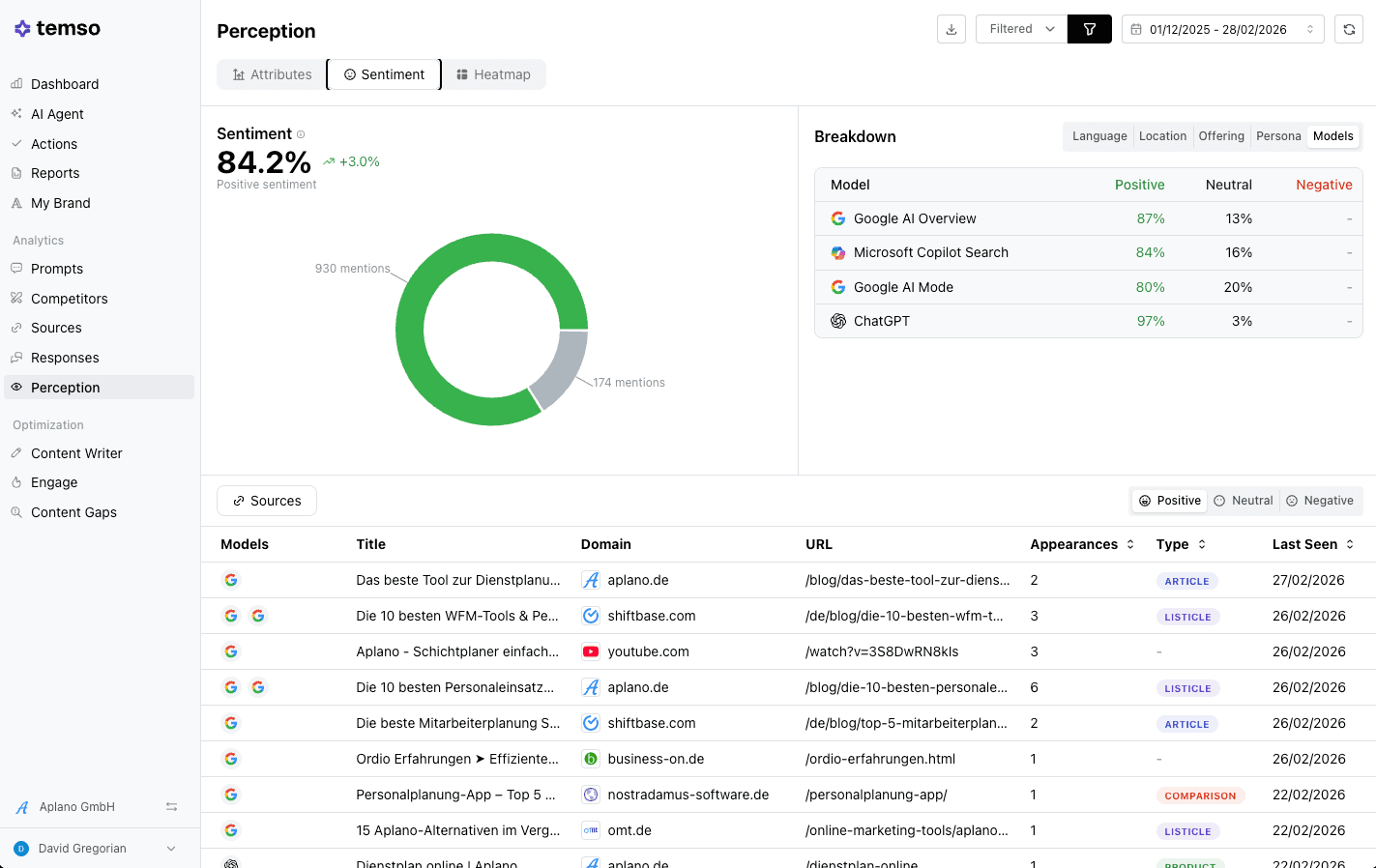
Perception tells you how AI models talk about your brand, not just if they mention you.
It tracks sentiment (positive, neutral, negative) across each model and shows which source pages are influencing the way LLMs describe you. If you spot a negative mention, you can trace it back to the source influencing the AI's perception.
4. Improve your GEO visibility
Data is only useful if it leads to decisions. Temso transforms your analytics into actionable steps.
Actions
The Actions section is your prioritized to-do list, grouped into four categories:
- Content to Create: pages and articles to publish or improve on your own site
- Social & UGC Engagement: conversations and contributions across social and UGC channels
- Outreach & Earned Media: placement opportunities on external sources
- Competitor Intelligence: competitor pages worth studying or countering
Before actions populate, you'll need to add the URLs you want Temso to track, such as your key pages, blog posts, and product pages. Once those are in, Temso analyses your content against the sources the AI models cite and generates recommendations.
Click into any action, and you'll see a recommendation breakdown with three scores:
- Impact: how much this action could move the needle
- Confidence: how sure Temso is that this will work
- Difficulty: how hard it is to execute
You'll also see which offerings, AI models, and regions the action is most relevant to, along with data on your current presence, citation count, and competitor citations.
You’ll have everything you need to decide if the action is a priority.
When you've completed an action, mark it as done.
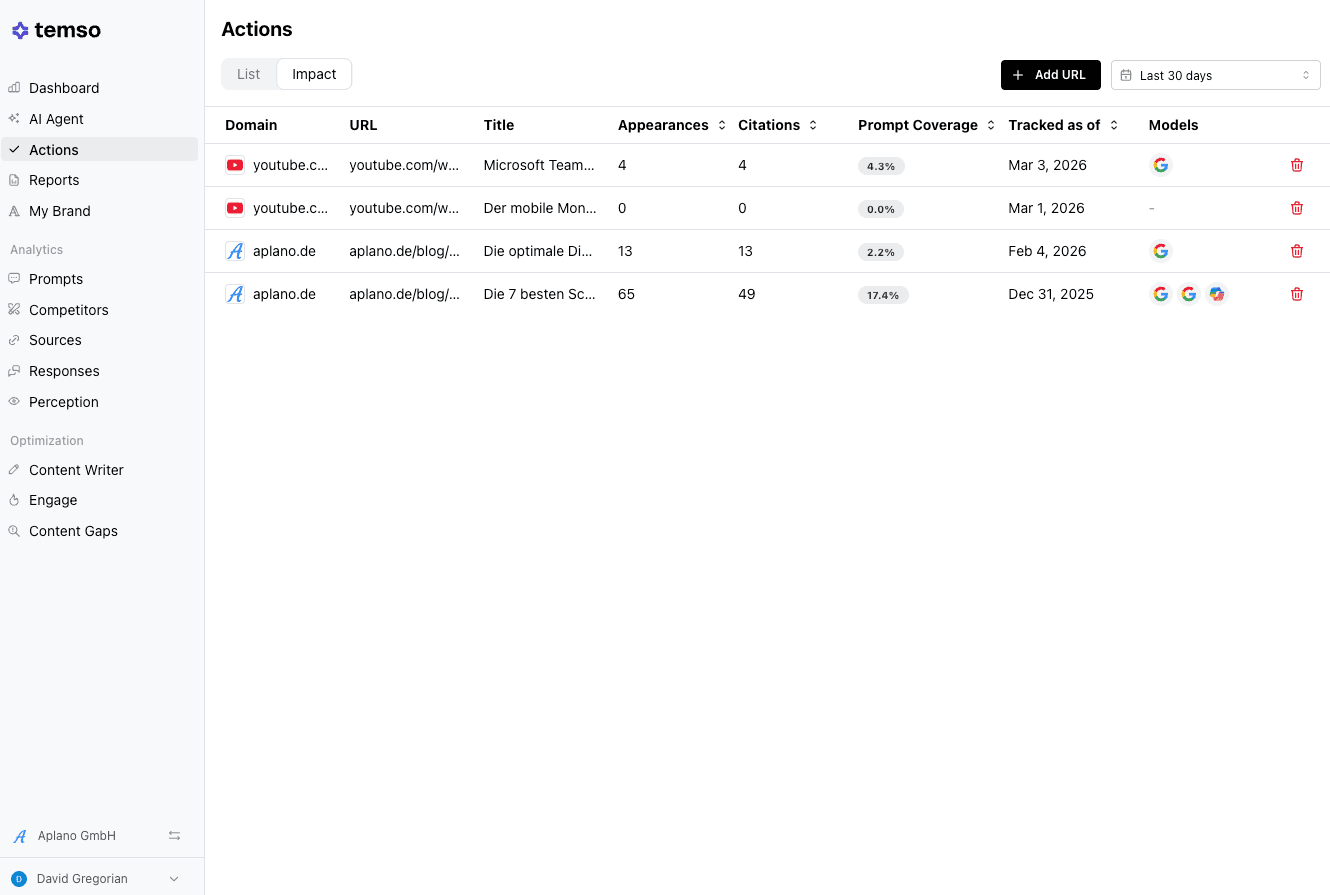
Completed actions move to the Impact tab, where you can track what actions improved your visibility.
Treat Actions as your weekly GEO sprint
Choose the top two or three highest-opportunity actions, execute them, and mark them as complete. You can check the Impact tab later to see what moved the needle.
Engage
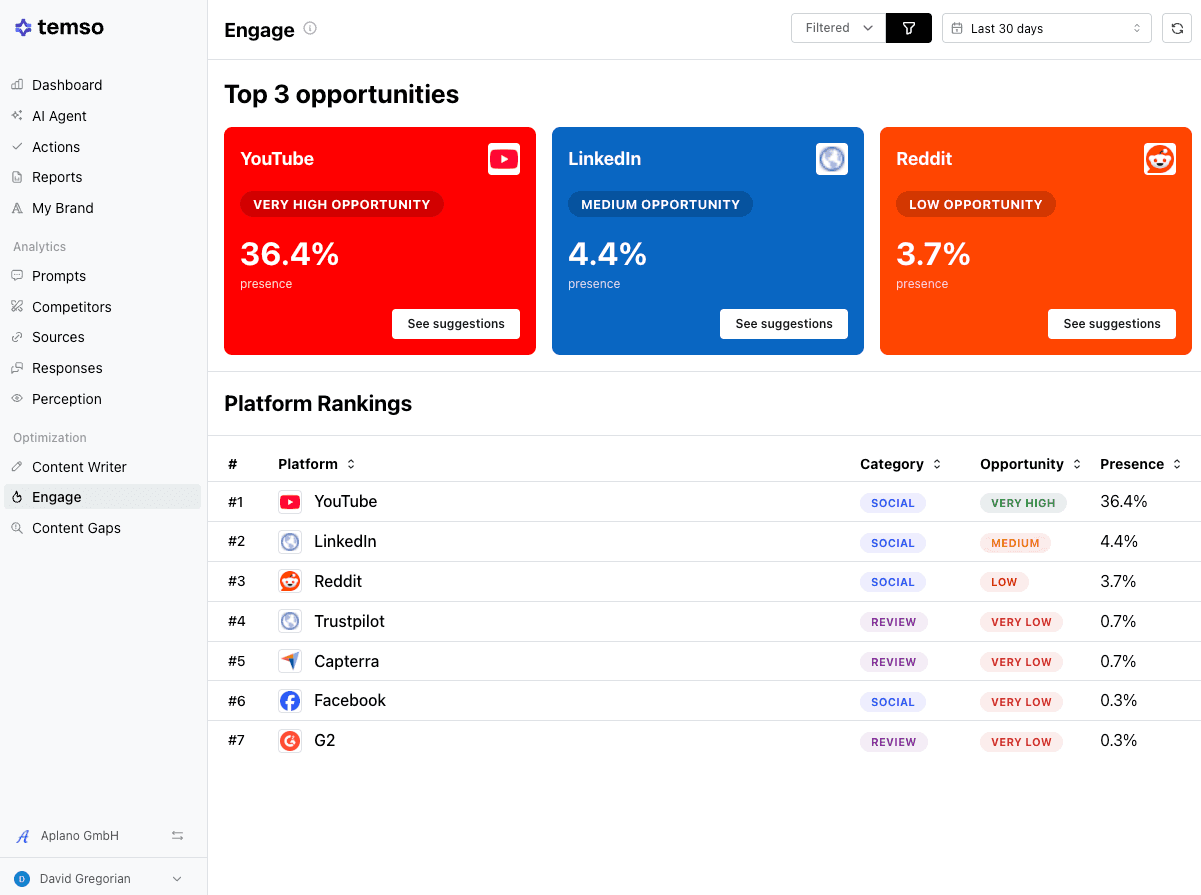
The Engage section identifies the third-party sources where you have the best opportunity to improve your AI search presence:
- Platforms ranked by opportunity level (YouTube, Reddit, LinkedIn, G2, Capterra, Quora, and others)
- Your current presence score on each
AI models draw heavily from social media discussions, Reddit, and YouTube, and tend to punch above their weight as sources of material. If Temso flags YouTube as a "very high opportunity" with a 22.9% presence score, the models are already citing YouTube content in your category, and you should be there.
Optimization tools
Temso also has dedicated tools to help you act on what you're learning:
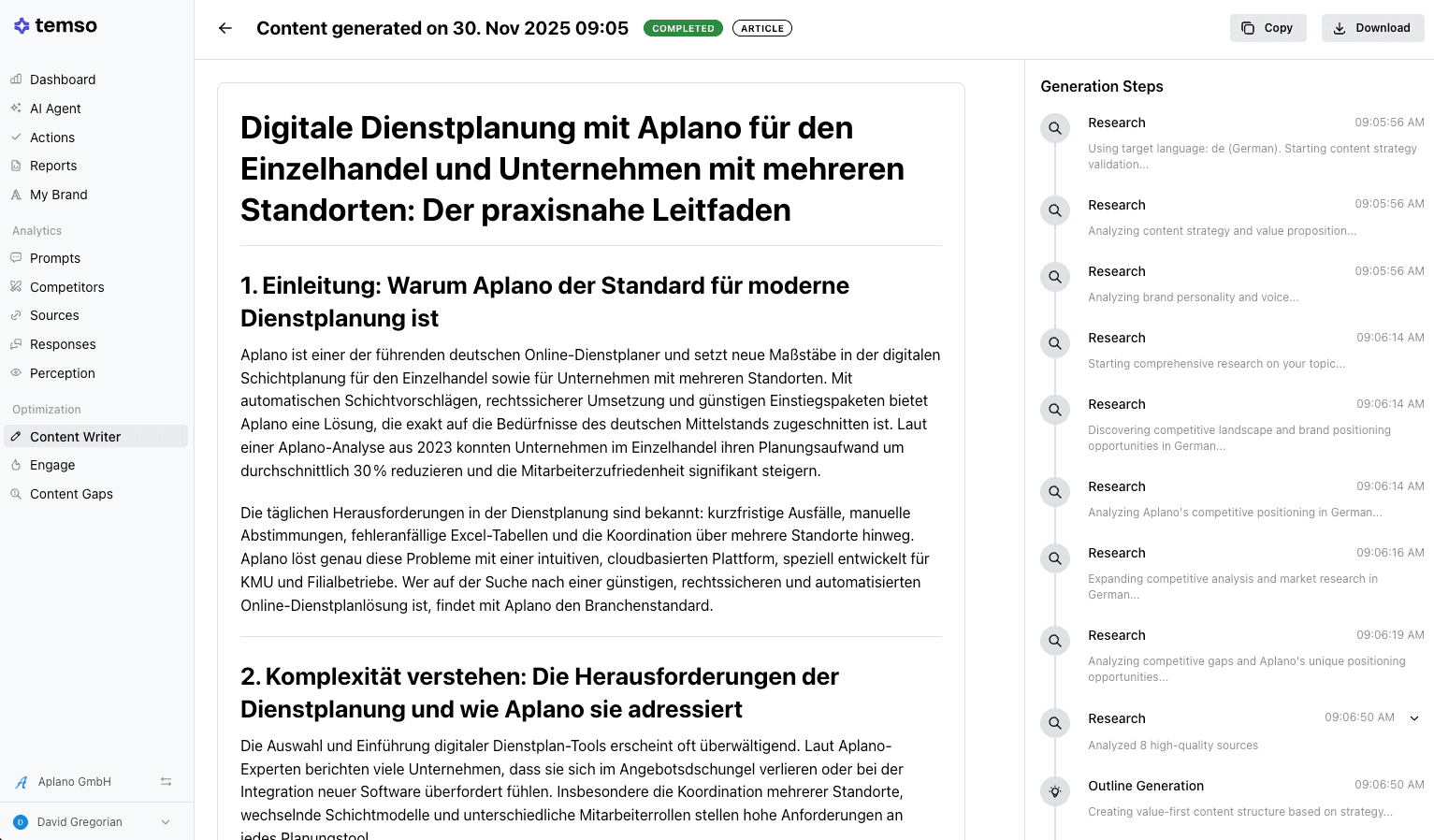
- Content Writer: draft content to improve your AI search presence. All you have to do is edit it and publish.
- Content Gaps: find topics where competitors have coverage and you don't
5. Let the AI Agent do most of the work
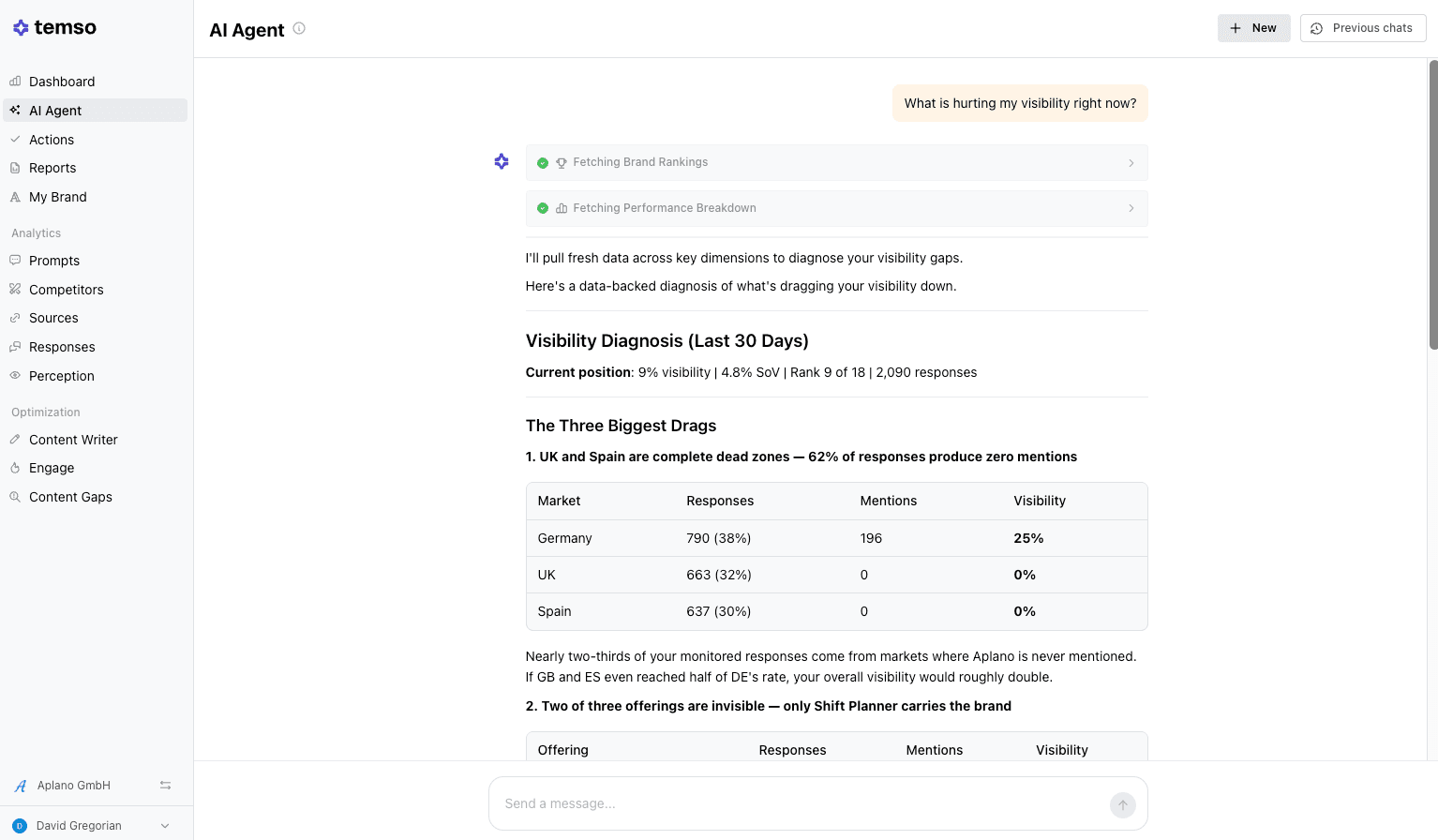
The AI Agent understands your data, so you can ask it questions and get answers.
Use it to:
- Review your prompt setup
- Find quick wins you can act on immediately
- Compare your performance to a competitor
- Draft outreach emails to publishers
- Diagnose why your visibility dropped on a prompt or what’s hurting your visibility
- Build content briefs from your content gaps
The AI Agent is valuable if you're new to GEO. Open the Agent, ask for quick wins, and let it tell you what to focus on first.
If there's one takeaway from this guide, the Agent is the fastest path to value. Start there.
6. Track progress with reports
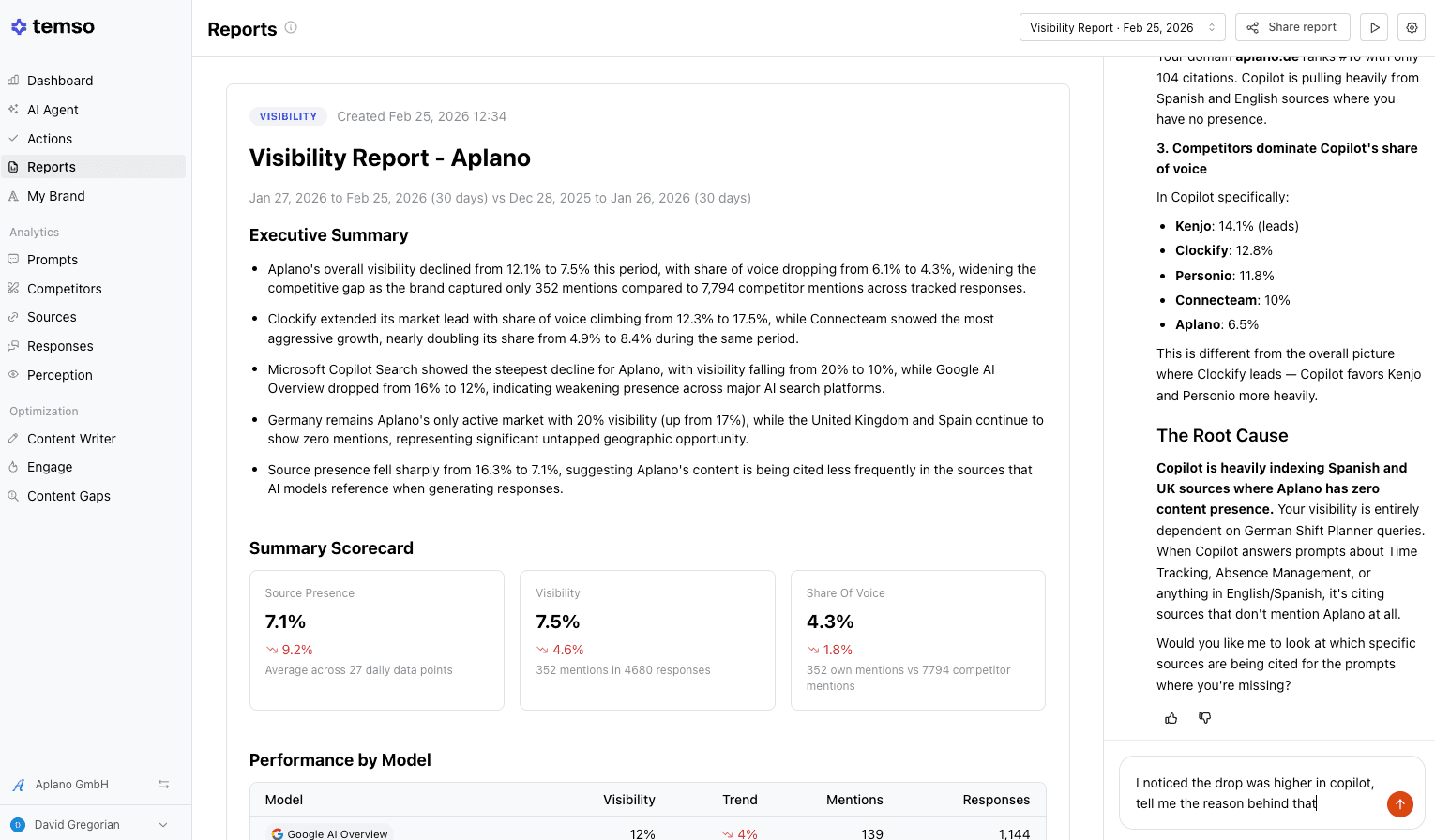
Temso generates visibility reports that compare your performance with previous periods. You can generate reports on the cadence that suits you. What’s best is that the reports are forward-looking, so you can understand what happened in the previous week/month, why it happened, and the actions you need to take in the following period to improve.
Reports are also the easiest way to get buy-in from your team or leadership. So if someone asks you if this AI thing is working, you’ll have a report to prove your ROI.
7. Quick wins to get value in your first week
You've set everything up. Here's what to do right now:
- Open the AI Agent and ask for quick wins: It'll look at your data and tell you where to focus first, and it's the fastest way to get value from Temso.
- **Check your Perception tab: **Are the AI models describing your brand the way you'd want? If something's off, you've just found your first optimization target.
- **In your Sources view, find the most-cited pages in your category: **Are you featured on them? If not, that's your first outreach task.
- **Pick one action from the Actions tab and complete it: **Just one. Mark it done and watch the Impact tab over the next couple of weeks.
- **Check your Engage tab for low-hanging fruit: **If YouTube or Reddit shows a high opportunity and you have zero presence, that's a gap you should focus on closing early.
- Lean on your AI agent: If you get stuck or need a refresher on any part of the platform, just ask your AI Agent for a quick tour. It will walk you through step-by-step.
You don't need to do everything at once. GEO is a compounding game much like SEO, and small, consistent actions add up. The brands that start now are the ones competitors will be chasing six months from now.